Importing Music to your Library
I'll start this section by prefacing that if you're using a physical device such as an iPod or a Digital Audio Player (DAP) I wont be going into the steps to load your music onto said device, but I would still recommend going through the following steps to ensure the smoothest experience possible.
In this section we will be using MusicBee as I find it the easiest to use/nicest looking, along with it having some lovely features for library organisation, ReplayGain and format conversion. But first, let's go over some terminology.
ReplayGain
ReplayGain is a technical standard that measures and normalizes the perceived loudness of digital audio files to a consistent level. It adds metadata tags to files, allowing players to automatically adjust volume, ensuring tracks from different albums play at similar volumes without manual adjustments or lossy re-encoding.
Thanks Wikipedia!
Using MusicBee
Once the application is setup and you have designated a folder for your library, drag your tagged music into the library folder.
Click on MusicBee in the top left of the application, then File and click "Scan Folders for New Files..." or press the Insert key.
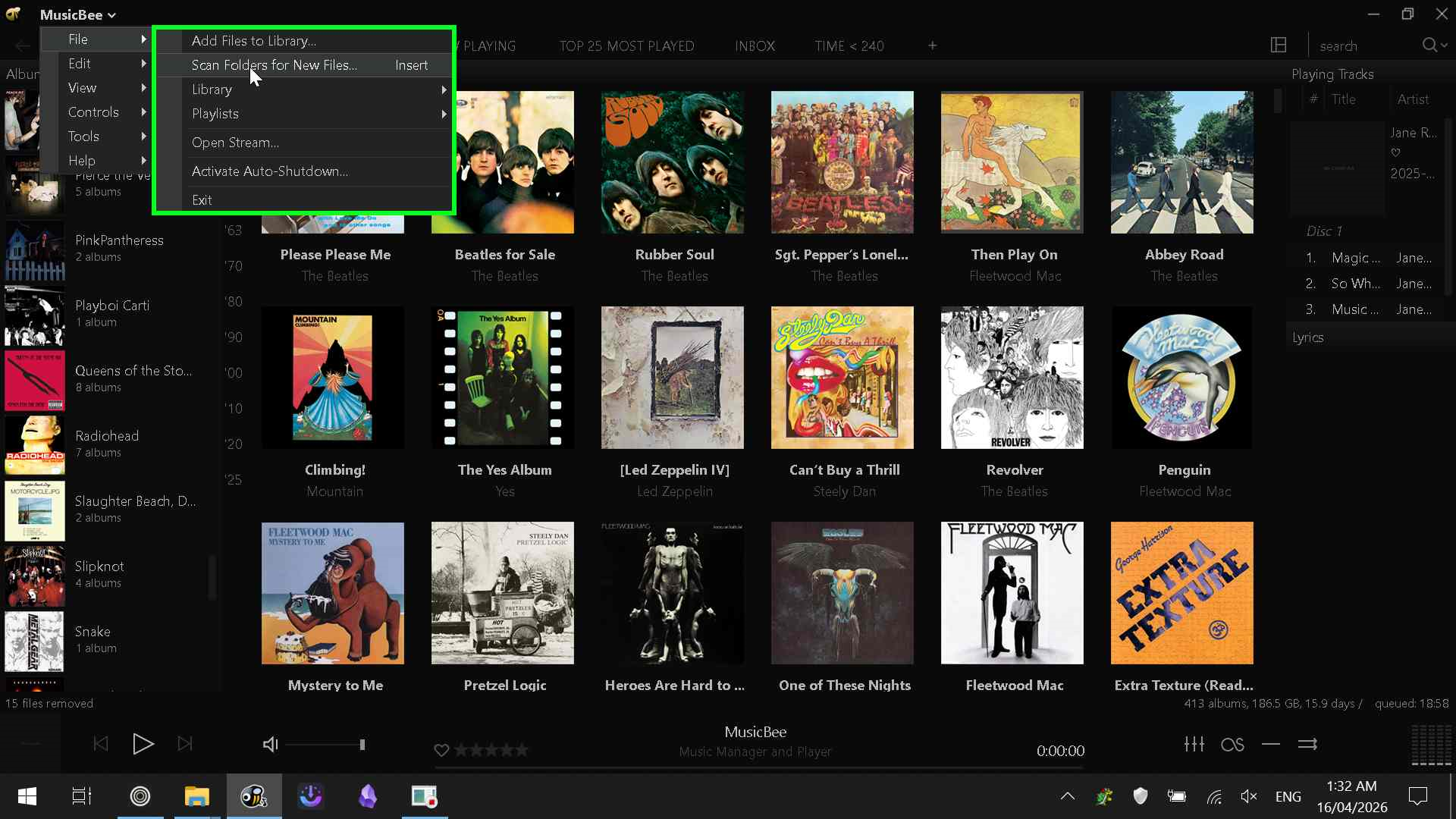
Ensure your library folder is selected, indicated by the tick in the box next to the file path. I recommend choosing the "Add to Inbox" option as it allows you to manage new music before it is organised into your library.
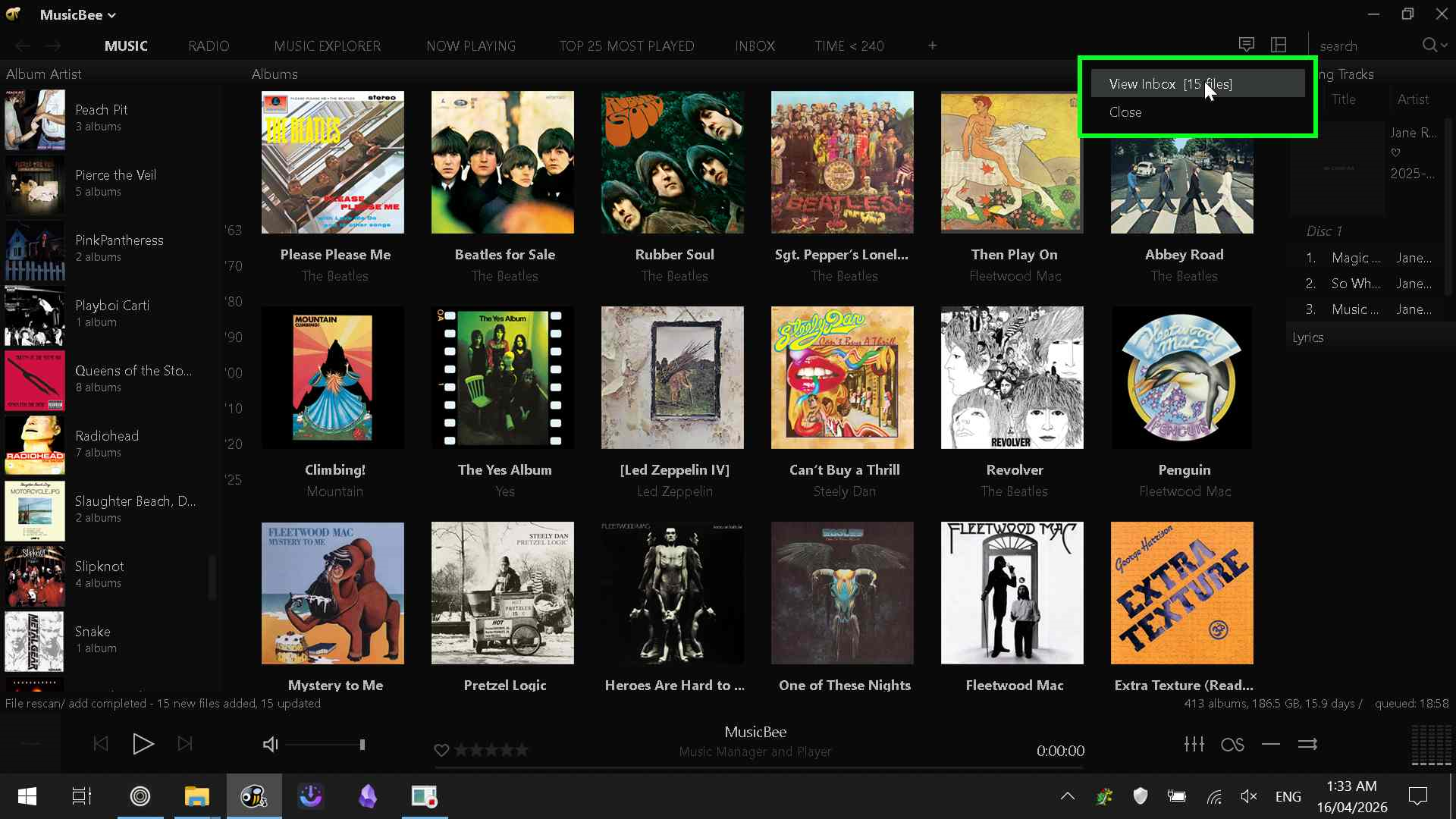
Make your way to the Inbox via this button in the top right corner. Then, right click on the album cover, hover over "Send To" and click "Volume Analysis" alternatively use Ctrl+Shift+V.
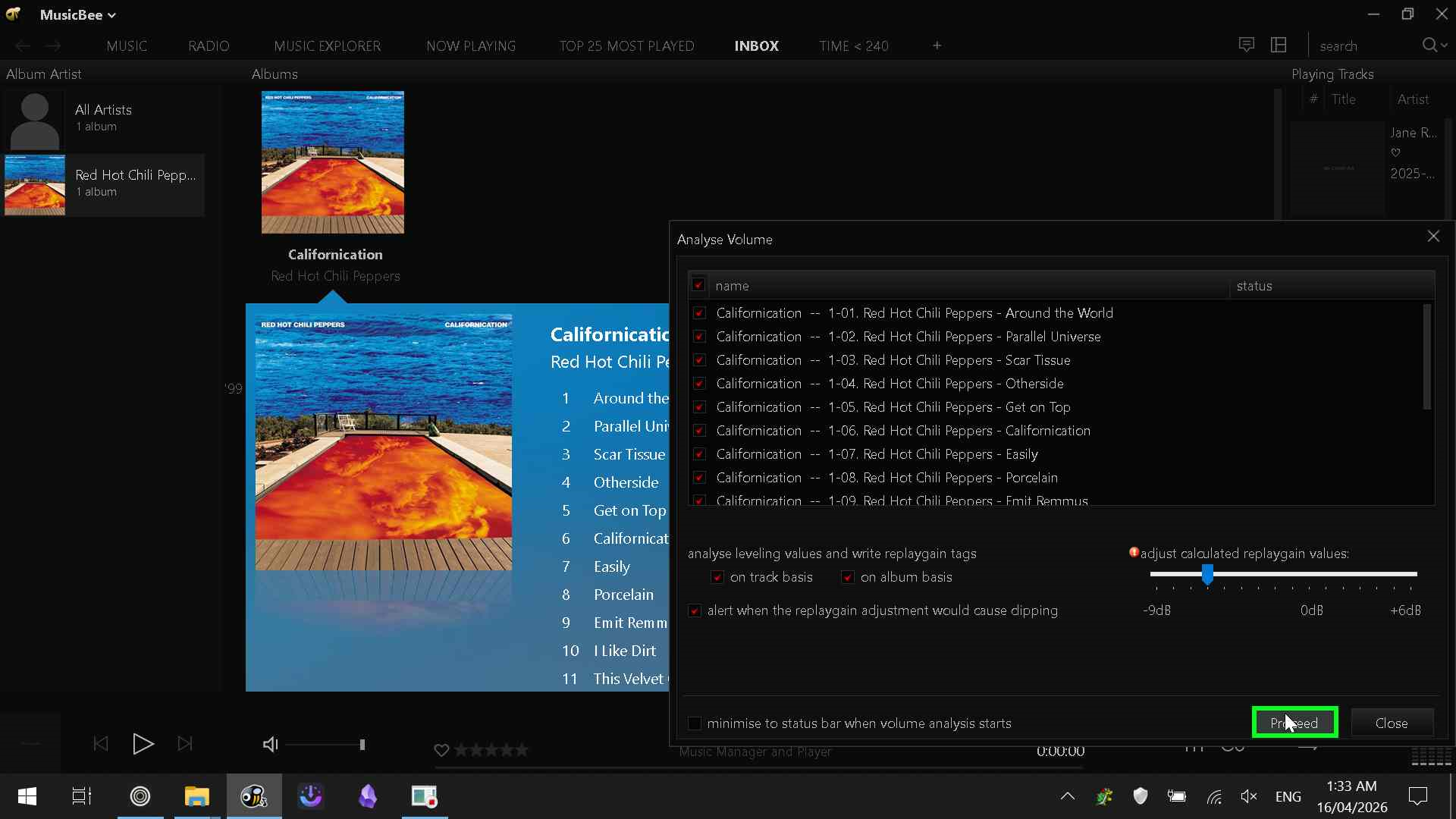
Again, make sure all the tracks in the list are selected and that both "On track basis" and "On album basis" are enabled. I've found that setting the "adjust calculated replaygain values" slider to -6dB prevents most tracks from clipping, although this may vary on some songs.
(Frank Ocean's Nostalgia Ultra has given me trouble in the past)
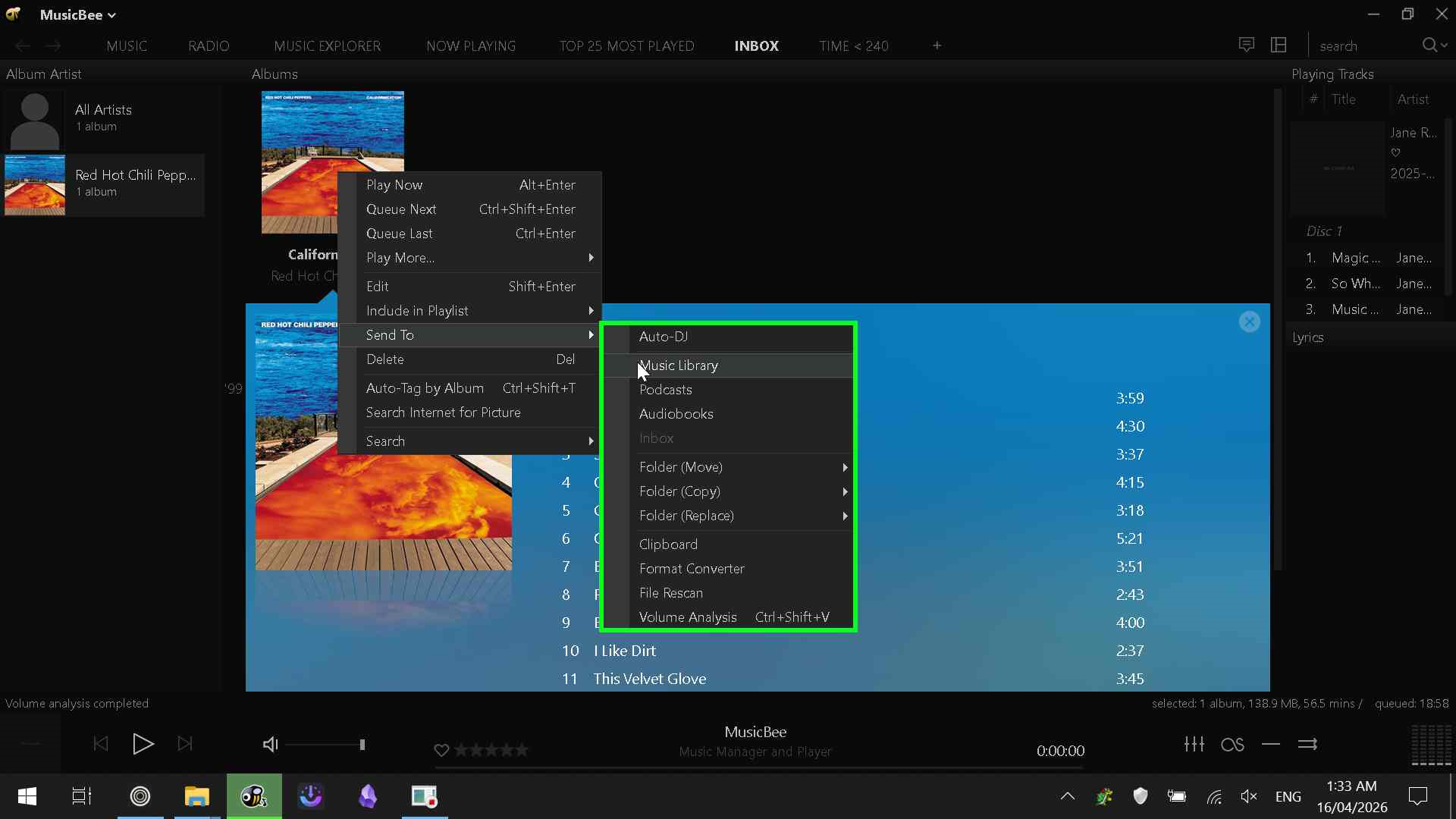
Finally, make your way back through the context menu and instead of Volume Analysis, click Send To Music Library, and thats it!
Final Remarks
Hopefully this guide has been helpful as much as I'm sure it's missing some more nuanced things,
this entire website along with all the pages in the Music Archiving section were written over about 6 hours
and I even made pasta in the middle of it.
If you have any questions feel free to reach me at archive.m3dia@gmail.com
Time Travel to before you spent hours archiving music.